I. Start Guide
1. Shulex VOC Introduction
Shulex is an AI SaaS company targeting the global VOC (Voice of the Customer) market. Currently, it has over 100,000+ seller users worldwide. Our vision is to empower global e-commerce operators in achieving business growth through the power of data and AI.
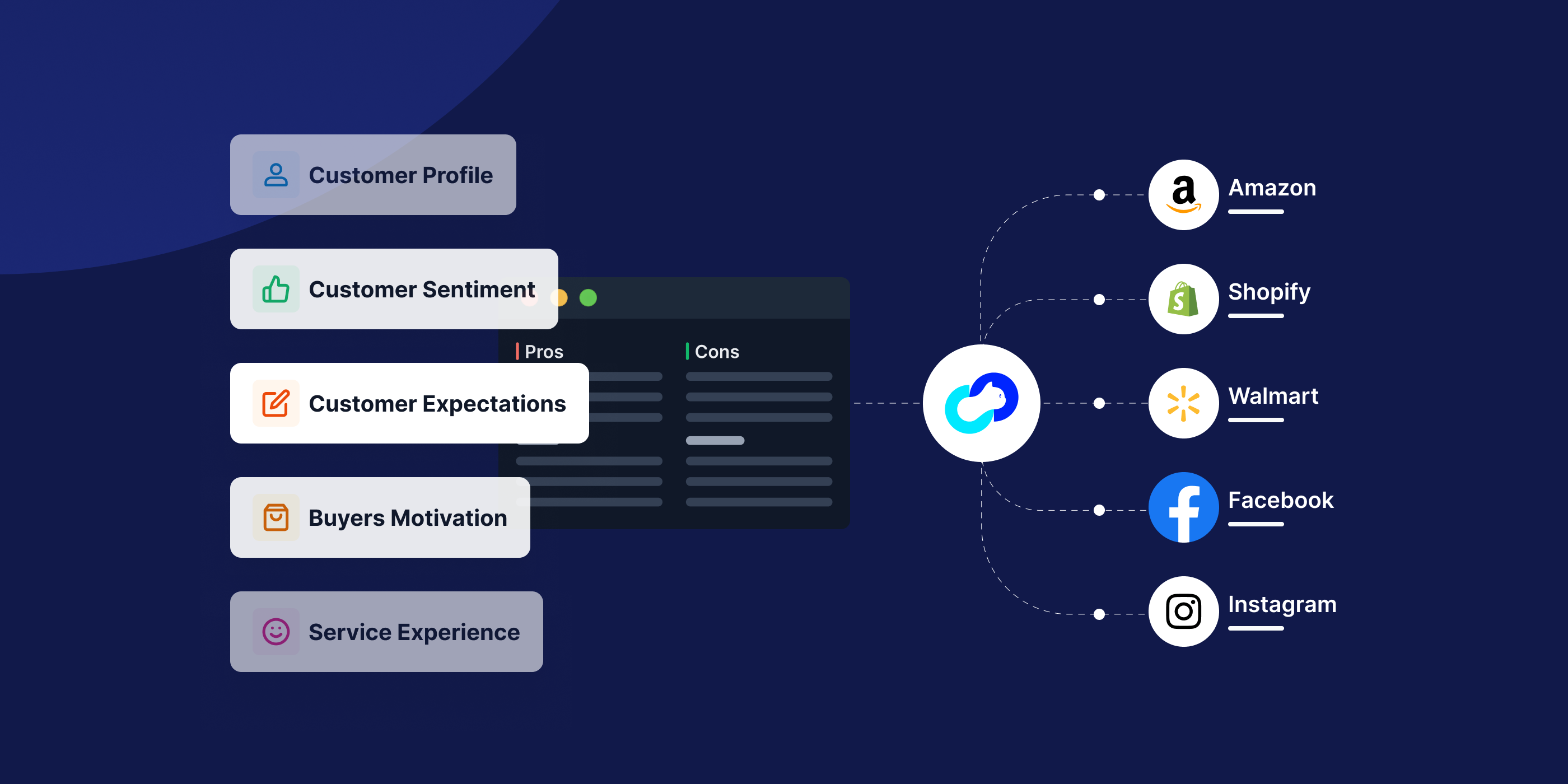
Shulex VOC is an all-channel intelligent consumer voice insight platform based on ChatGPT/AI. By gaining insights into the voice of global consumers, it helps with product development, optimizing selling points, analyzing competitors, and winning the competition. Stay ahead of the game by creating explosive products and shaping a brand that resonates with consumers.
Our website https://www.voc.ai/ and learn about Shulex VOC in 1 min.
2. How to register and log in to Shulex VOC
2.1 Register an account
A. You can register by visiting the Shulex official website at https://www.voc.ai/ and clicking on the registration button located on the navigation bar to access the registration page.
B. Alternatively, you can directly visit the following link to start the registration process: https://apps.voc.ai/account?redirect=%2Fapp#/enRegisterOfficial?lang=en
Email + Password Registration
Fill in your email and password at this page, and after confirming your password again, click on "Continue".After filling in the registration information for email, you will receive a verification email automatically sent by Shulex. Click on the link in the verification email to complete the registration.

Tips: If you haven't received the verification email, please check your email's spam folder. If you still haven't received it, please try resending it or contact Shulex customer service (partners@shulex-tech.com) for assistance.
2.2 Log in to Shulex VOC
1. Log in : https://apps.voc.ai
2. Using email + password to log in
Fill in your email and password on this page.

Tips:If you haven't set a password before, please log in using the verification code first, and then you can set your password in the user center.
If you forget your password, click on "Forgot Password" to retrieve it. After clicking on "Forgot Password," enter the email address you used during registration, and Shulex will send a verification email. Click on the link in the email to complete the password reset process.

II. Account Management
1. Account information binding and unbinding.
After successfully registering an account, you can view and modify your personal information in the user center.
Step 1: Log in to your Shulex account. Login address: : https://apps.voc.ai
Step 2: Click on the version logo in the lower right corner and select "User Center."

Step 3: Bind/Unbind/Modify account information.

1.1 Modify your username
Click on 'Change' and a pop-up window will appear where you can modify your current username. You can use a combination of English letters, and numbers, but please do not use any special words.

1.2 Modify your password
If you haven't set a password before, clicking on 'Change' will prompt you to set a password directly. Simply follow the instructions provided to set your password.
If you have already set a password, clicking on 'Change' will require you to enter your current password and then enter your new password.

Tips:If you forget your current password, click on "Forgot Password" to retrieve it on login page or contact Shulex customer service (partners@shulex-tech.com) for assistance.
2. Member management
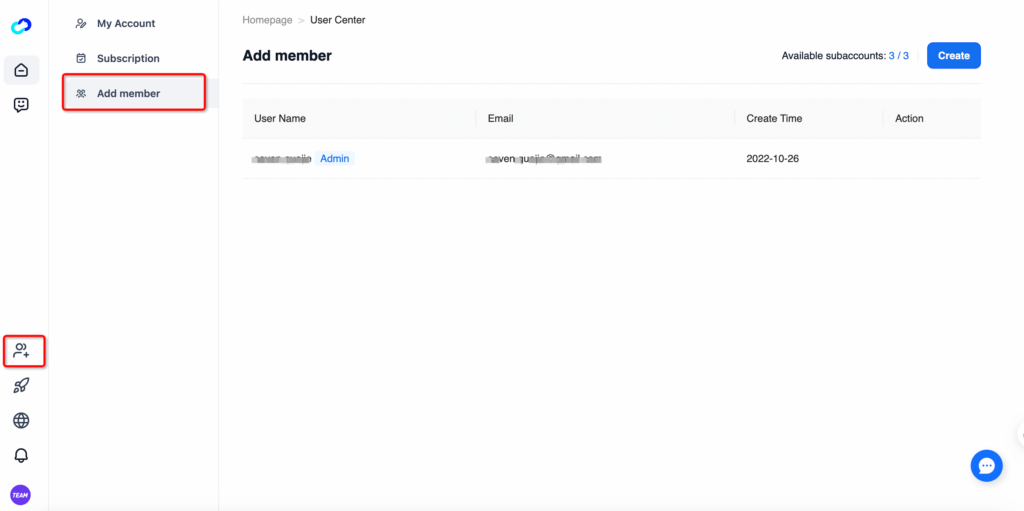
This feature is available for team plan. After subscribing to the team plan, you can manage members within your current tenant. On this page, you can view, add, and delete sub-account.
Page path: User Center --> Add Member (or click on the 'Add Member' sidebar to enter directly).
2.1 Add members
Currently, you can add a sub-account using an email address. After entering the email address, you will receive a verification code email. Once you enter the verification code, the sub-account will be successfully created. Once the sub-account configuration is complete, the sub-account can log in using the email and verification code. Afterward, they can modify their password.
Tips:The email of the added sub-account needs to be a email that has not been registered with Shulex before. If you need to add a phone number that is already registered, please contact Shulex customer service (partners@shulex-tech.com) for assistance.
Currently, the Team plan supports up to 3 sub-accounts by default. If you need to add more sub-accounts, please contact Shulex customer service (partners@shulex-tech.com) for assistance.

2.2 Delete members
Click on the delete button on the right side of the sub-account to delete the current sub-account.

3. Subscription Management
On this page, you can view your account's payment version information and request an invoice.
Page path: User Center --> Subscription Management.
- Click on "Download Invoice" to obtain the invoice corresponding to your billing statement in PDF.
- Click on "Cancel Subscription" to end your current subscription. You can choose to cancel immediately or cancel at the end of the current billing cycle.

Tips:If you have any questions regarding subscription, payment or refund, please contact Shulex customer service (partners@shulex-tech.com) for assistance.
III. Shulex Plugin Introduction
1. How to install Shulex VOC plugin - 3 major routes, all to Rome.
1.1 Download from Chrome App Store Recommended
Go to: Shulex VOC Plugin ( FULL NAME: Shulex ChatGPT E-commerce Sidebar ) in Chrome and Click "Add to Chrome" in the upper right hand corner.

1.2 Download in Purple Bird Browser
Open Purple Bird, go to "Plugin Center" and search for "Shulex" to install it with one click.

1.3 Download in Edge browser
Open Edge browser, visit Shulex VOC plugin and click "Obtain / Get" in the upper right corner.

2. Shulex Plugin - Analyze Amazon Reviews
Within any product detail page on Amazon, the Shulex plugin will always remain above the product title, and you can analyze product reviews in one click by clicking Review Analysis
Model upgrades analyze six modules to understand the consumer's buying journey and feedback in a comprehensive way
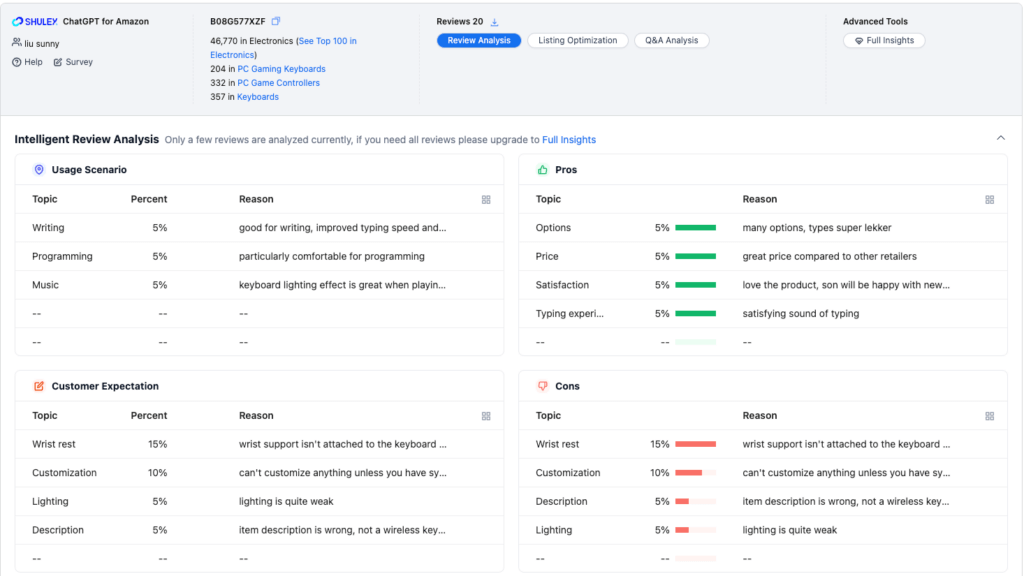
Analyze reviews in one click, summarizing good and bad reviews, consumer profiles, purchase motivations, and more with just one click, gaining insight into ASIN's full range of data dimensions. Amazing efficiency!
Tips:
Shulex plugin comment analysis module only supports sampling analysis of some comments, such as the need to analyze all the comments: you can click on the right side of the "in-depth analysis" function, jump to the web version (voc.ai), and then you can view the results of the analysis of the data!
The percentage for each topic is: Number of comments referring to the current topic / Number of comments sampled and analyzed.
3. Shulex Plugin - AI Listing Optimization
Create Optimized Amazon Listings that Rank Well and Drive Sales Using AI
https://www.voc.ai/blog/ai_listing_optimization
Combined with exclusive high accuracy review analysis to optimize the key content of the listing, specifically including the product's recent VOC performance, category TOP keywords, etc., to help improve the listing exposure and conversion rate, it is a good helper for you in the peak season of sales, or in the off-season! Increase the overall sales of your store without any effort!
Select a product listing that needs optimization or a competitor's listing that you want to learn from and use as a basis for optimization. Click on the AI Listing Optimization feature of te Shulex extension. The system will automatically and quickly obtain key seller comment analysis keywords, search terms, and hot-selling competitor keywords for top products in the same category.


The system will automatically select the most valuable keywords to include in the copy optimization, but you can also choose to manually select or enter prepared keywords in the input box below. After clicking the optimize button, Shulex AI will automatically optimize the listing copy that best fits local language habits and is more attractive and appealing to consumers.


The optimized results will be displayed on the right side and support one-click copying.
If you are not satisfied with the optimized structure, you can always return to the keyword editing page for re-optimization by clicking the button in the upper left corner.
Tips:
Number and percentage of mentions: number of comments mentioning the current topic/number of comments sampled for analysis
Search keywords: the niche category search terms and corresponding search volume in the past month
Boutique Core Selling Points: analyze the head of the sub-category 20 products ASIN, statistics derived from the selling point of the keywords and the corresponding number of times mentioned
4. Shulex Plugin - QA Analysis Features
Click on Q&A Analytics and Shulex will intelligently count and categorize the content of all current Q&A content for that product.

5. Shulex Copilot - Your smartest AI assistant (based on GPT4 for free)
Tips:
No ChatGPT account required, no VPN needed, free to use the browser sidebar at any time
Support the world's mainstream e-commerce sites, questions/similar products/translations/product analysis are all done in 10 seconds.
From product development, operation and promotion to customer service, AI assistant improves human efficiency.
Review analysis for in-depth consumer insights, analyzing 10,000 reviews in 10 seconds.
From any web page, use the shortcut command + ? or control + ? to quickly enable the Shulex AI Assistant sidebar to talk to ChatGPT on the go!


IV. Web APP Introduction
1. How to create a report
Take a moment to think about the goals I would like to analyze with this report; e.g., a single Asin focusing on a breakthrough, or multiple Asins looking at a brand or category.
1.1 Created by Shulex plug-in
The Shulex plugin's add button can be found on the Amazon search results page, the listings page(like Amazon best sellers), and the product details page to quickly create a report for the web version.

⬆️On the Amazon search results page
⬆️On the Listings page(just be like Amazon best sellers page)

⬆️On the top of the Product details page


